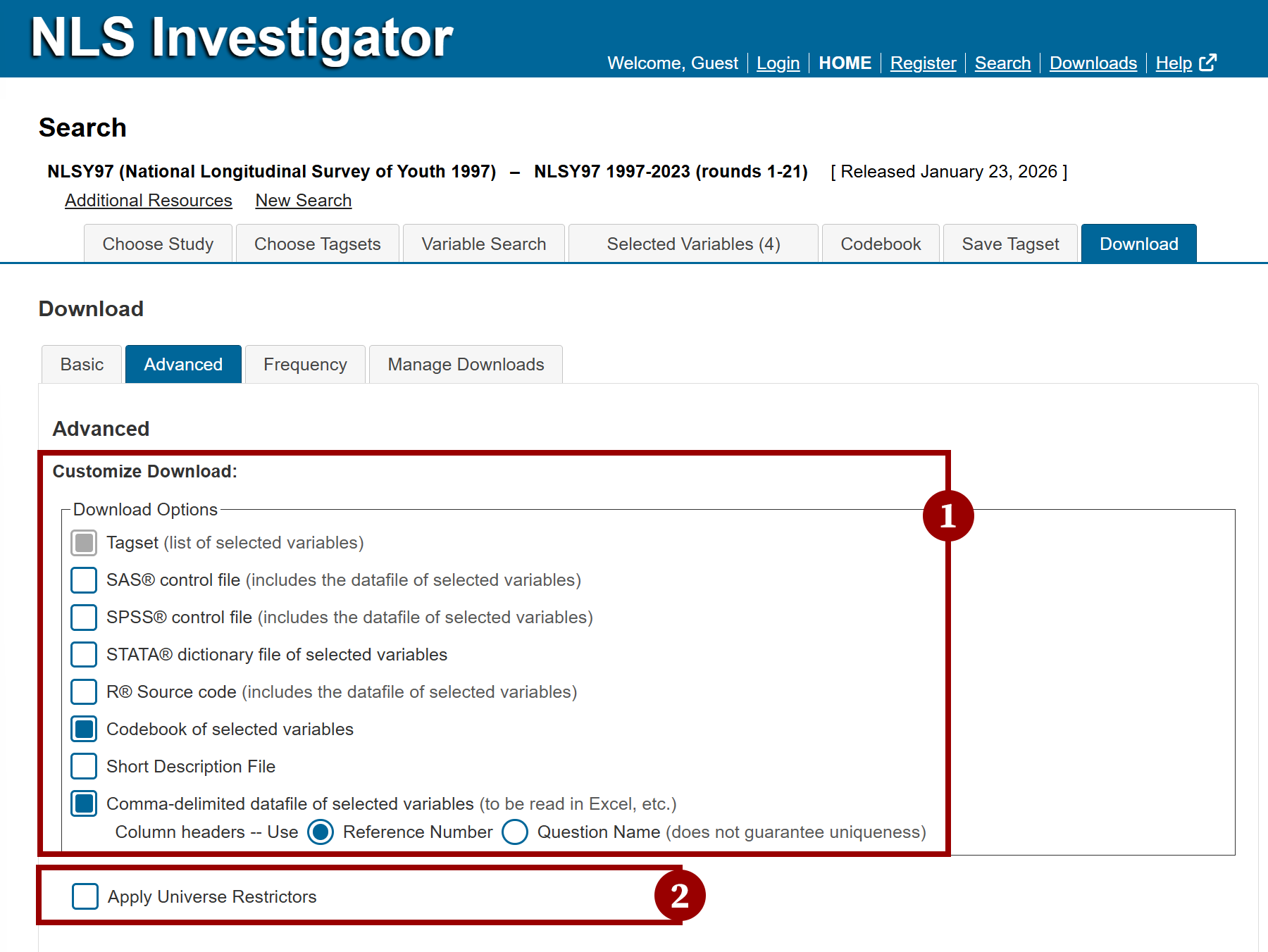
The Advanced Download sub-tab, the second option within the Download tab, allows you to customize download formats and apply universe restrictors to create subsets of the variables listed in the Selected Variables tab.
Key functions include:
- Customize Data Download: Select one or more file formats from the Download Options checklist to specify the type of data file generated for download.
- Apply Universe Restrictors: Add one or more universe restrictions to create a subset of the dataset before generating a download. This option limits results to respondents who meet the selected criteria, ensuring that downloaded data and frequency tables include only relevant records. The Apply Universe Restrictors option is available as a checkbox below the Download Options checklist.
Next: Customize Data Download
Previous: Basic Download
Quick links: Table of Contents | Glossary of NLS Terms